From a sentence to an app on your phone.
App Shifter is an Android app for making your own apps: describe the app you need in a sentence and about a minute later it is on your phone, with AI, pictures, the camera, voice and reminders inside if it needs them. Then you change it, or "shift" it into a new app, by describing what you want.
 1
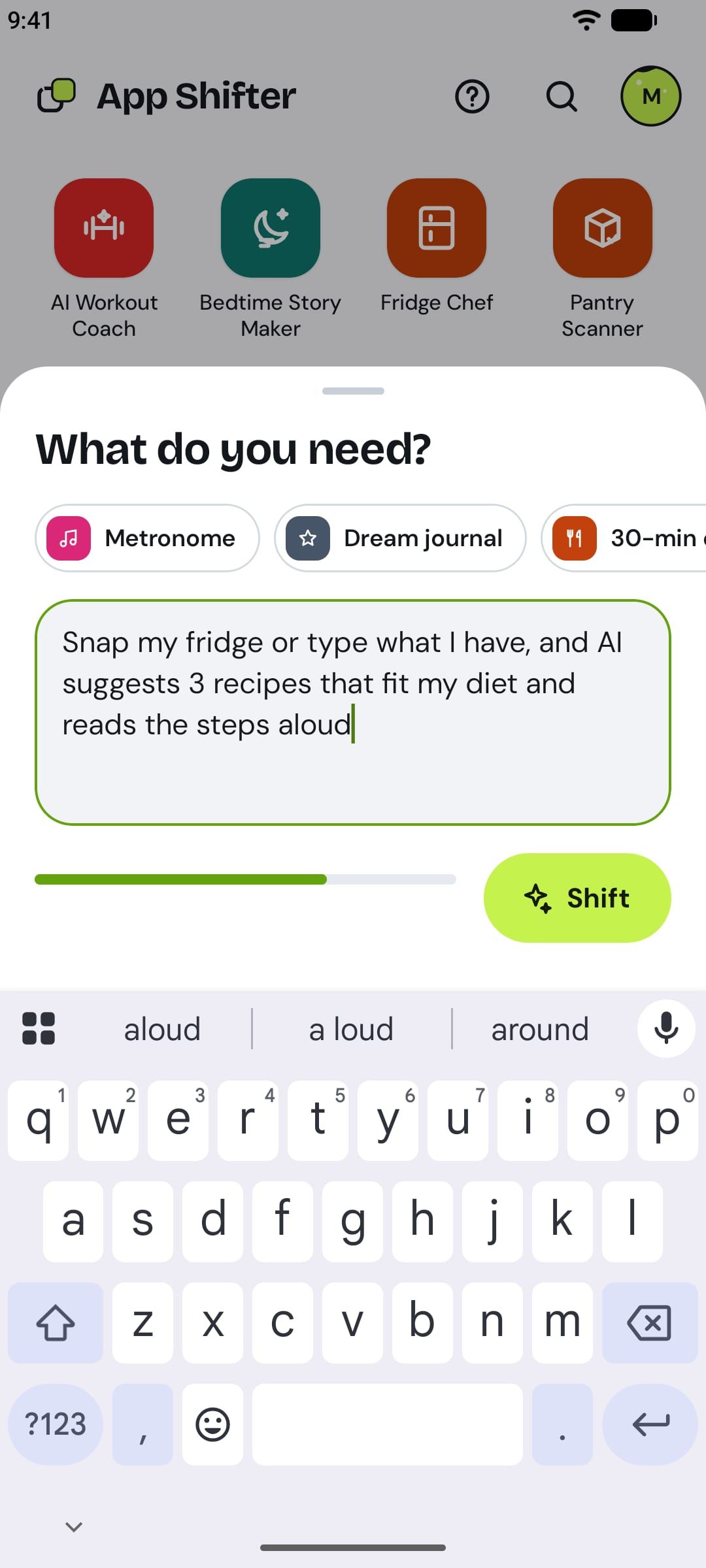
Describe what you need
Tap New app and say what you need in plain words, up to 150 characters: "Snap my fridge or type what I have, and AI suggests 3 recipes that fit my diet and reads the steps aloud."
Not sure where to start? Starter ideas fill the box for you, and an idea link from this site opens with its sentence ready.
 2
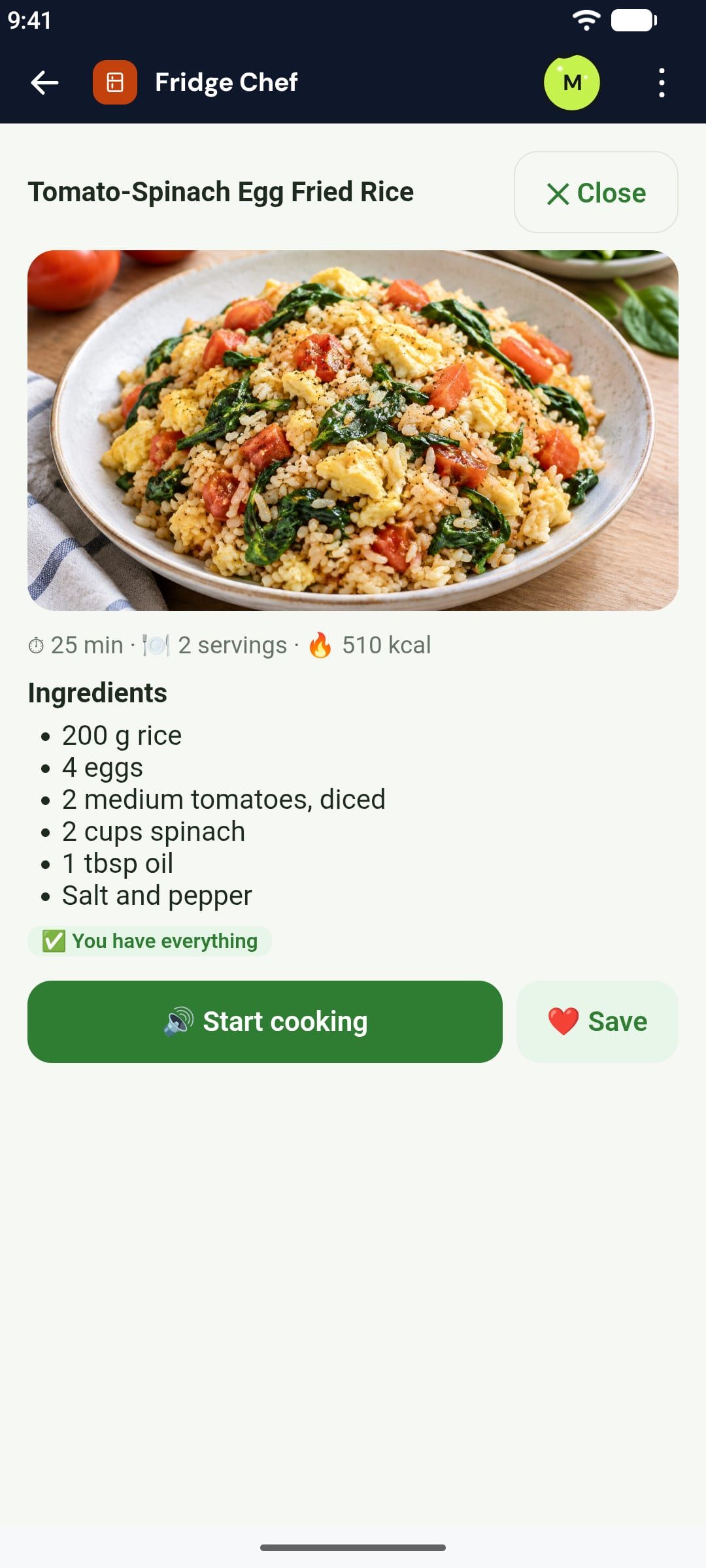
A minute later, you made it
App Shifter makes a working app from your sentence, with its own name, icon and pictures. It appears on your Home, ready to open.
You don't have to wait around: close App Shifter and come back. When your app is ready, App Shifter tells you that you made it. Long-press it to add it to your phone's home screen.
 3
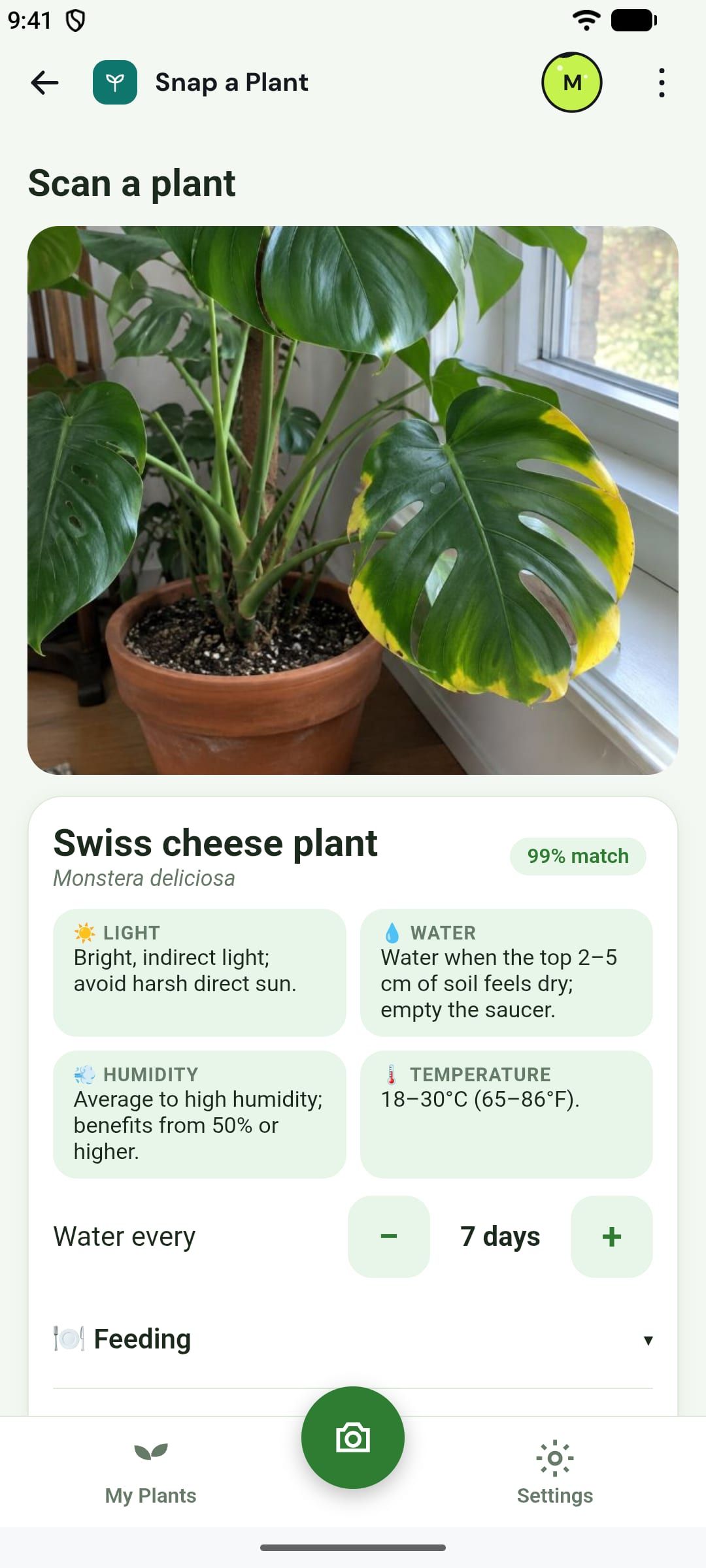
It does real things
Your app gets what the job needs: it can write with AI, read a photo, turn a photo into art, come full of pictures, use the camera and the microphone, read aloud and listen, scan barcodes and QR codes, and remind you even when it is closed.
The first time an app wants to use AI or send you notifications, it asks you.
 4
Shift it into what you need next
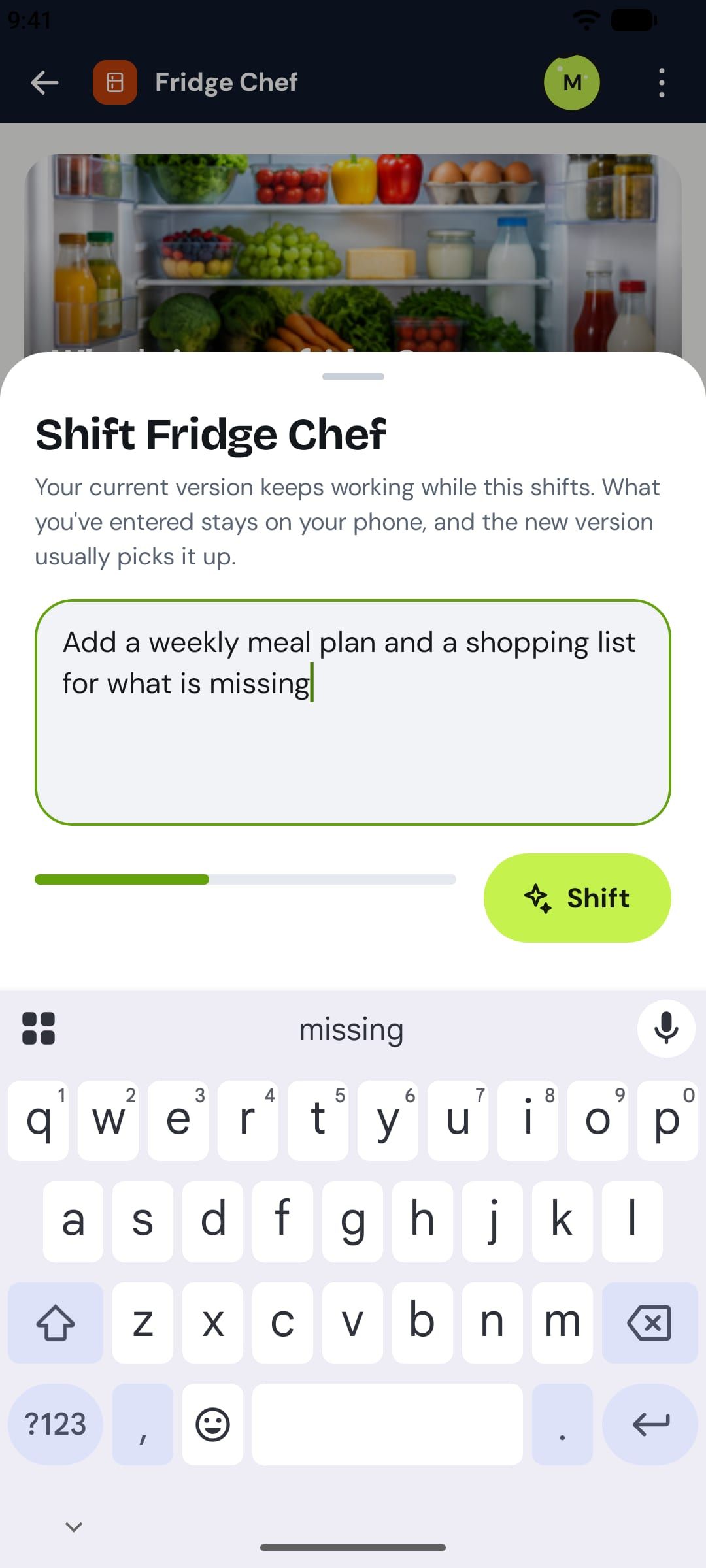
Ask for a change in the same plain words: "Add a weekly meal plan and a shopping list for what is missing." A minute later you have a new version of your app.
What you entered stays on your phone, and the new version keeps using it. Want something different instead? Shift any app you can see into a brand-new app of your own.
 5
Share it, or start from someone else's
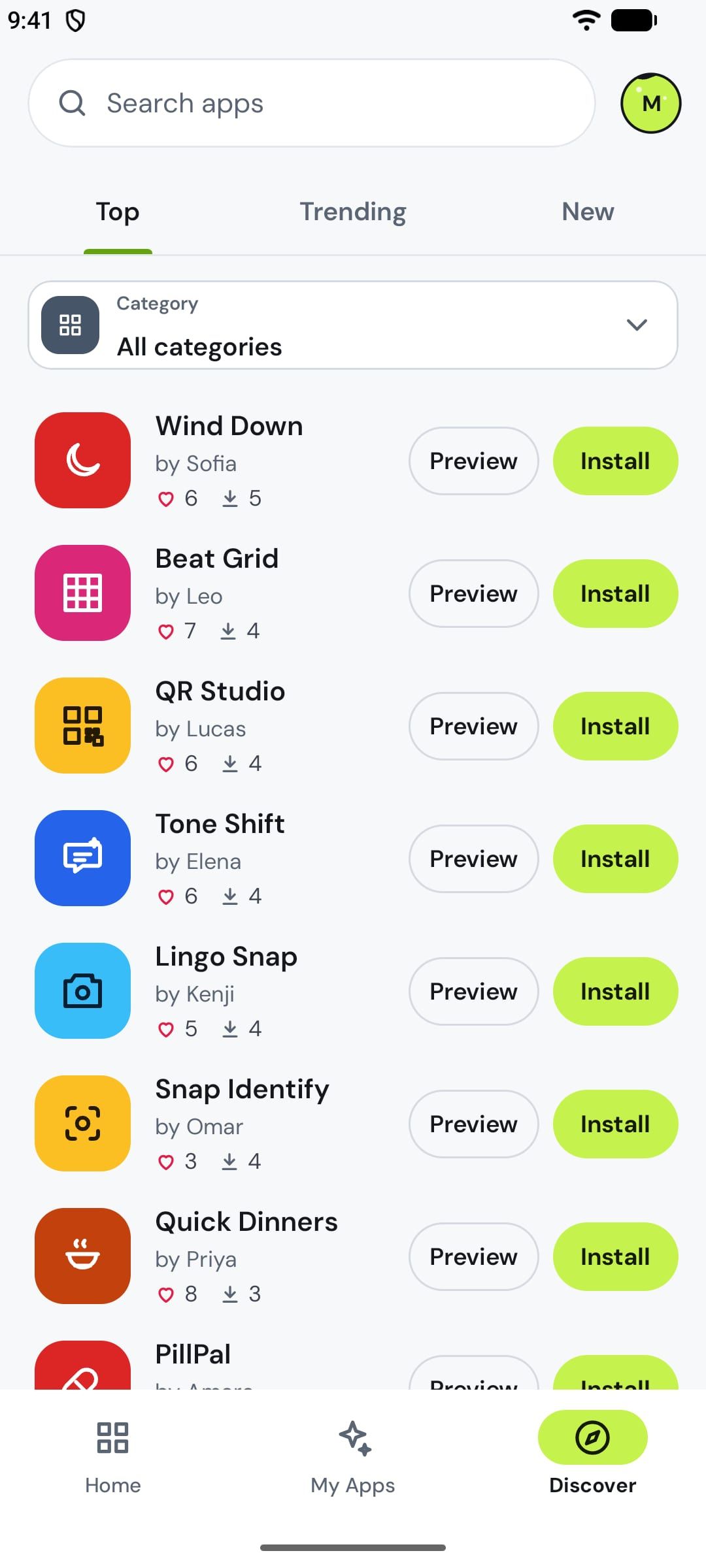
New apps are private. Share one by link, or publish it to Discover once our team has checked it. In Discover you find what others made by Top, Trending, New or category.
Installing an app gives you your own copy. You can like it, or shift it into an app that's yours.
What happens to your data
What you enter inside your apps stays on your phone; App Shifter never stores it. When an app uses AI, it asks you first, and only what that request needs goes to the AI to get the answer, never kept. Your prompts are visible only to you.
What's free
App Shifter is free to start: everyone gets a weekly quota for making and shifting apps. App Shifter Pro gives you more.