Fridge Chef
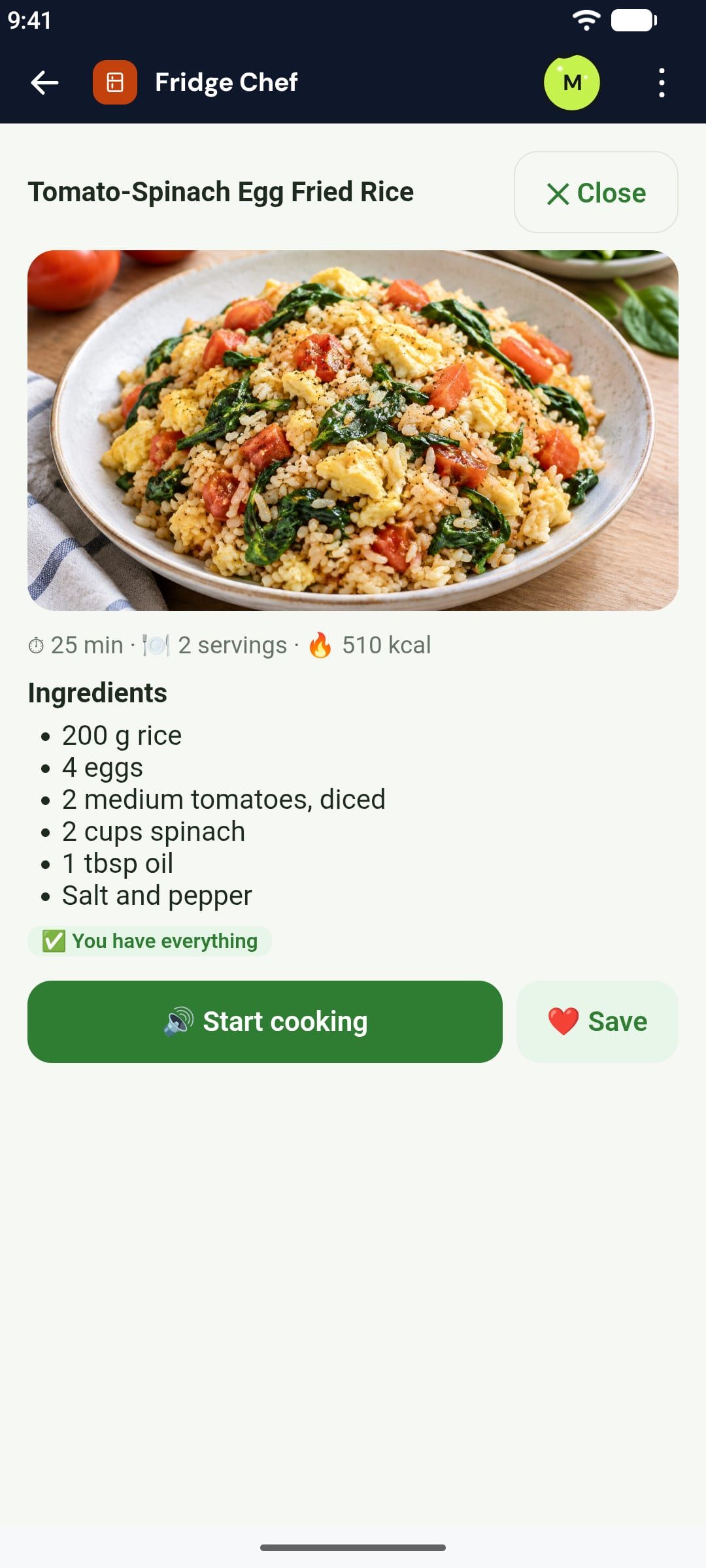
Type what you have or snap the fridge: AI suggests three recipes, draws the dish and reads you the steps.
Make one like it →Describe it in a sentence. A minute later it's on your phone, with AI, pictures, the camera, voice and reminders inside. Then keep shifting it.
 Coming soon to iPhone
App Shifter is an Android app for making your own apps: describe the app you need in a sentence and about a minute later it is on your phone, with AI, pictures, the camera, voice and reminders inside if it needs them. Then you change it, or "shift" it into a new app, by describing what you want.
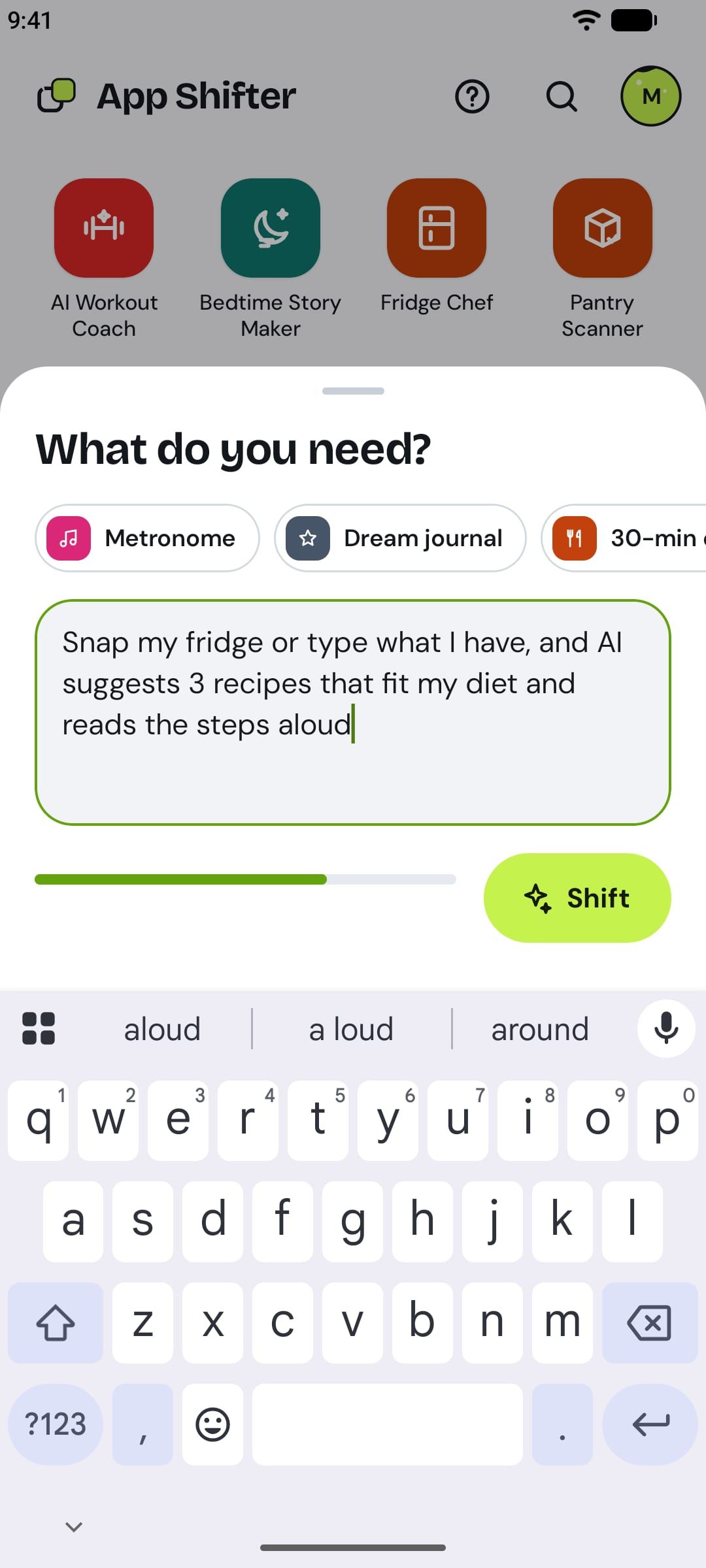
Say what you need in plain words, up to 150 characters. No code, no setup.
Your app is on your Home, ready to use. Close App Shifter while it works if you like.
AI, pictures, the camera, voice, scans and reminders, inside your app when it needs them.
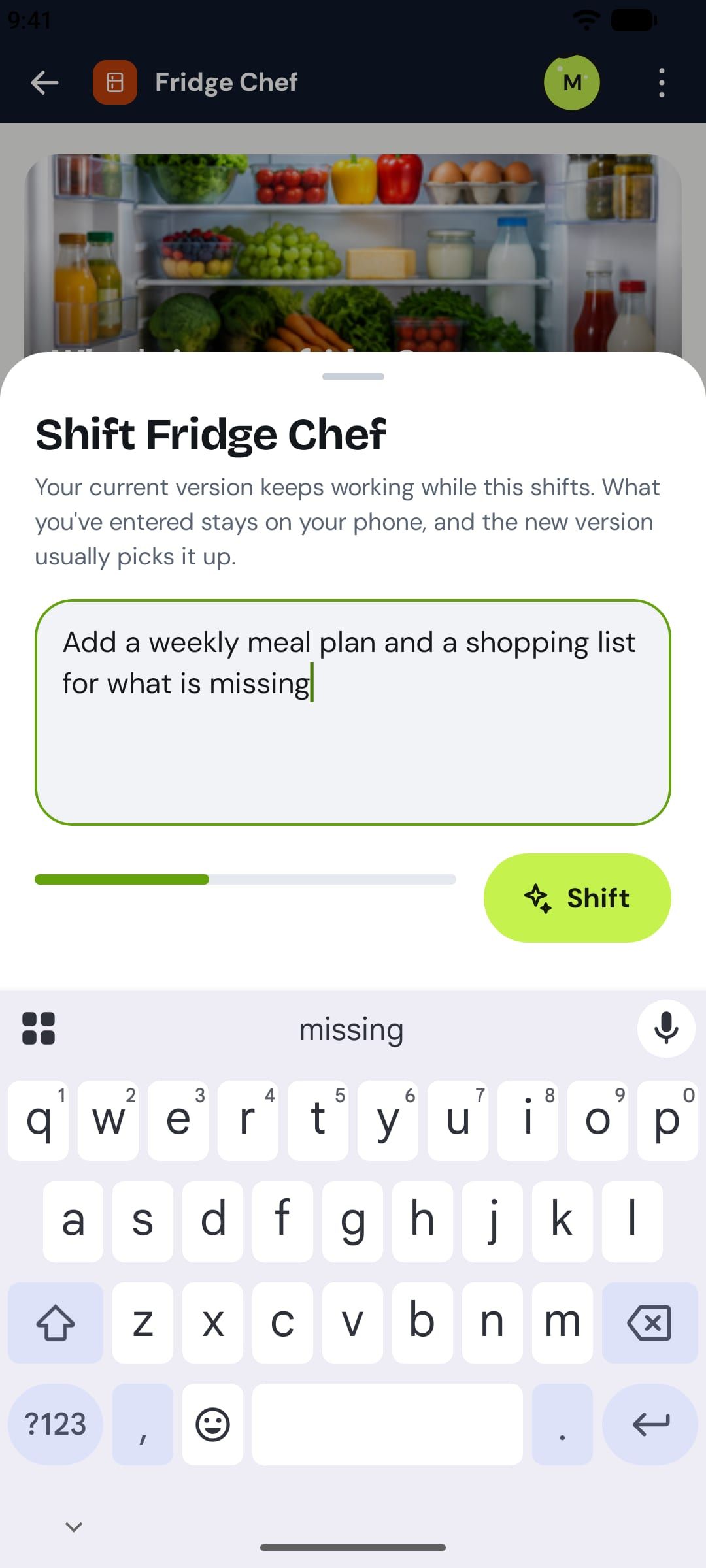
Describe a change, like "add a weekly meal plan", and your app updates. Or shift it into a new one.
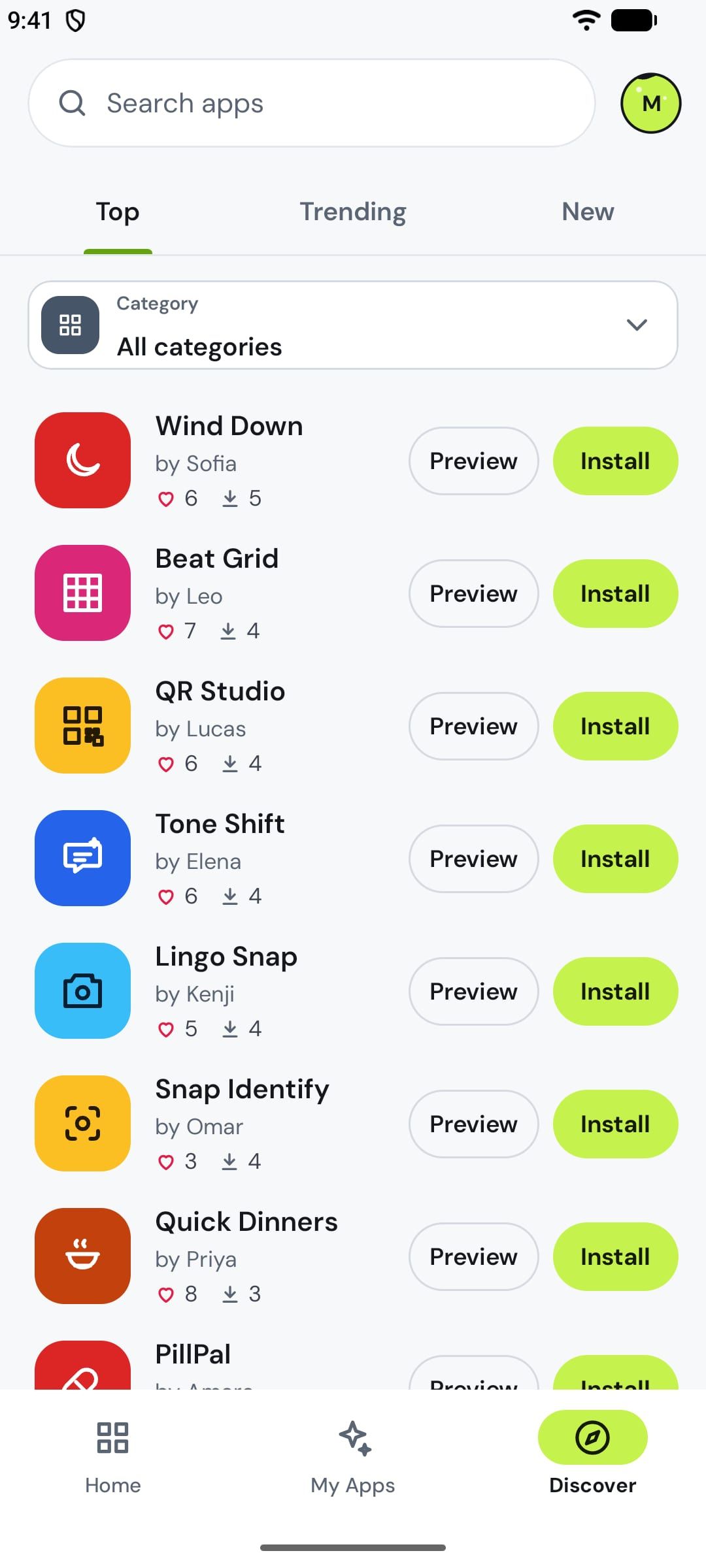
Send it by link or publish it to Discover, where others install it and shift it into theirs.
Your app gets what it needs to do the job, from your sentence alone.
Real apps, made in about a minute. Tap "Make one like it" on your phone and the sentence is ready for you to shift.
Type what you have or snap the fridge: AI suggests three recipes, draws the dish and reads you the steps.
Make one like it →Pick a photo, pick a style: AI repaints it as a watercolor, an oil painting or a comic.
Make one like it →Snap your plate: AI names the dishes, estimates calories and macros, and logs the meal.
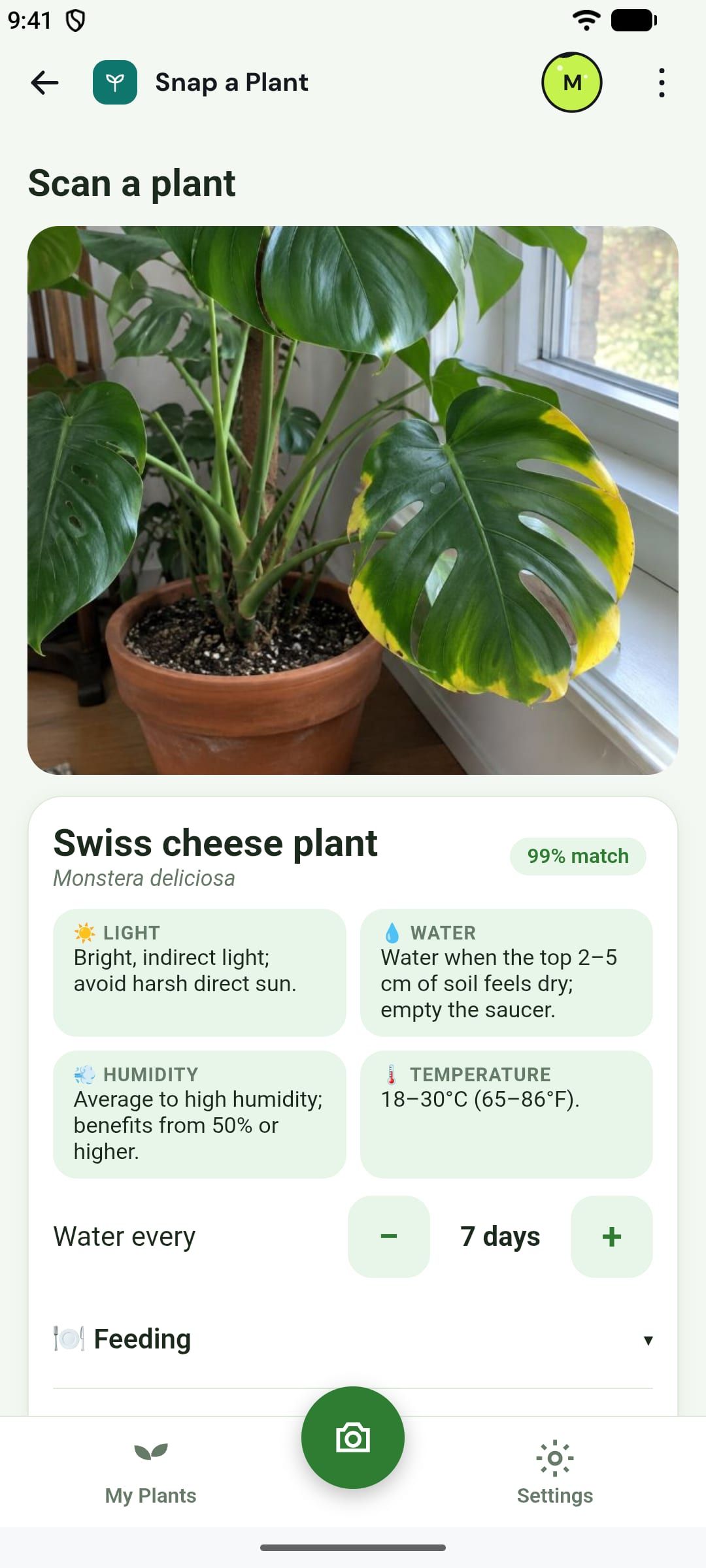
Make one like it →Snap a plant: AI names it, writes a care plan, says why the leaves turn yellow, and reminds you to water.
Make one like it →Watch more apps being made
Snake as on an old phone: a green screen with scanlines, beeps, and a snake that speeds up every five apples.
Made from: "Snake like on an old phone: swipe to turn, faster every 5 apples, green monochrome screen with scanlines, beeps and a best score"
A real app made by App Shifter, running right here. What you enter stays in this browser.
All the apps and games you can use here → · The AI game maker →
Need a meal plan, a dark theme, a bigger button? Describe the change and get a new version a minute later, with what you entered kept. Or shift it into a whole new app.
Install apps other people published, like them, or shift a copy into your own. Our team checks every app before it appears in Discover.
Your checkmarks, notes, logs and photos live on your device, and App Shifter never stores them. When an app uses AI, it asks you first, and only that request goes to the AI, never kept.
Read the privacy policy →Tap one on your phone to start from its sentence, then make it yours.
Snap your fridge or type what you have, get 3 recipes that fit your diet, steps read aloud
Make it →AI workout coach for your goal, minutes and gear, each move drawn and read aloud
Make it →Bedtime story starring your kid's toys, illustrated and read aloud
Make it →AI names it, writes a care plan and reminds you to water
Make it →You two as a watercolor, an oil painting or a comic
Make it →Photograph a menu abroad, AI translates and explains the dishes
Make it →A Spanish tutor you chat with, every reply read aloud
Make it →Photograph the bill, assign items, share totals
Make it →Type or dictate a messy paragraph, AI splits it into tasks with dates
Make it →Pantry by barcode with expiry reminders
Make it →Snake like on an old phone, with scanlines and beeps
Make it →Endless trivia on any topic, written by AI
Make it →App Shifter is an Android app for making your own apps. You describe the app you need in a sentence, and about a minute later it is on your phone, with AI, pictures, the camera, voice and reminders inside if it needs them. Then you keep shifting it: describe a change and it updates.
No. You describe what you need in plain words, up to 150 characters, and App Shifter makes it. You never see or touch code.
About a minute. You can close App Shifter while it works; when your app is ready, App Shifter tells you that you made it.
Your app can write with AI (a workout, a recipe, a story), read a photo with AI (the dish on a plate, a plant, a menu), turn a photo into art, come full of pictures, use the camera and the microphone, read aloud and listen, scan barcodes and QR codes, remind you even when it is closed, and use live data such as the weather or exchange rates. It can also be a simple game. Apps can't share data between phones, have accounts, or know where you are yet.
Yes. AI builds your app from your sentence. And your app can use AI too, while you use it: to write something, read a photo or draw a picture. The first time an app wants to use AI, it asks you.
Shifting is how you change an app: describe the change ("add a weekly chart", "make it dark") and you get a new version, with what you entered kept. You can also shift any app you can see into a new app of your own, including apps other people published.
Coming soon to iPhone